Agents and workflows that turn repeatable work into reviewed, recoverable runs.
Features
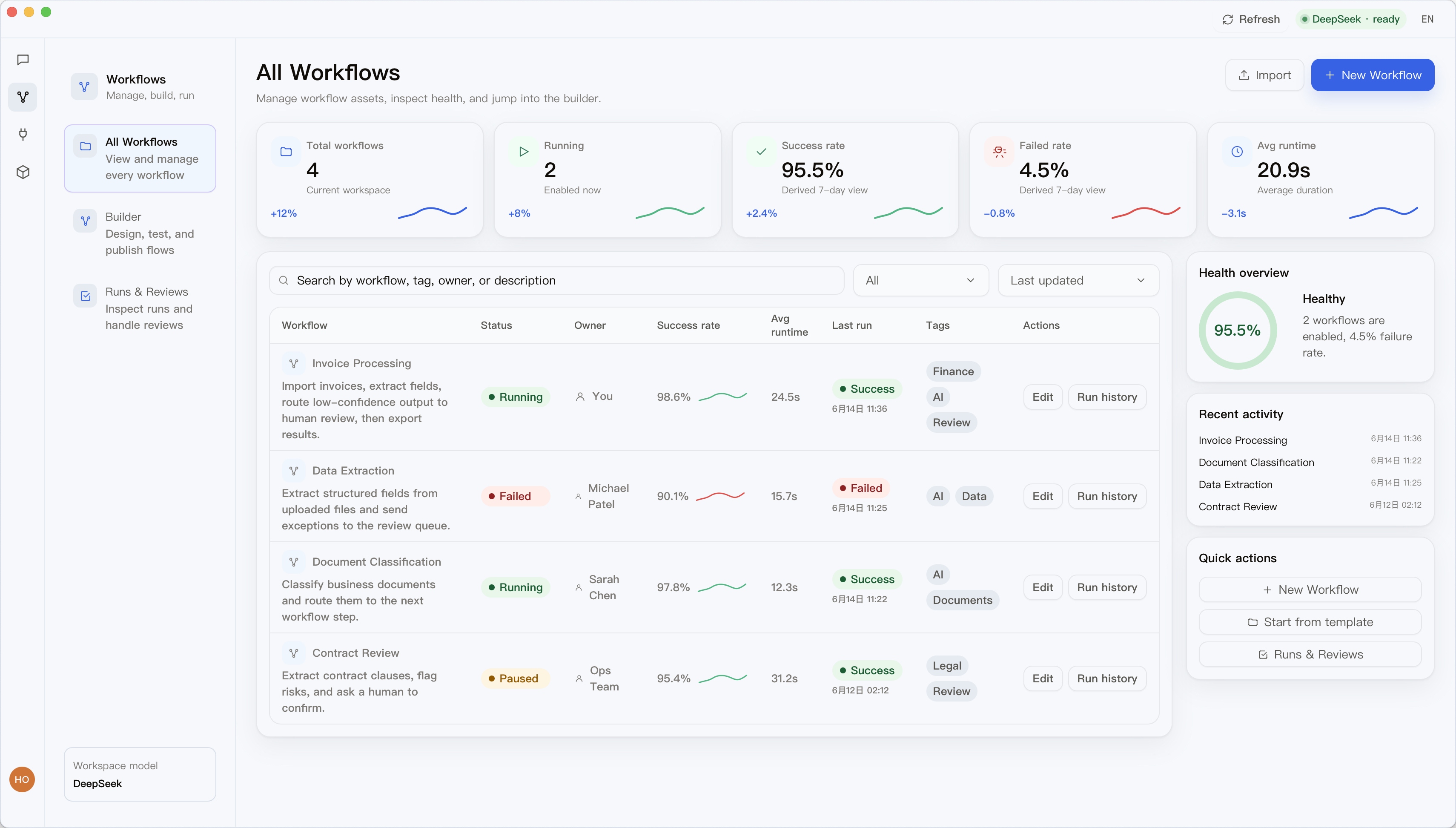
Coordinate web, email, file, code, and data tasks from one workflow instead of scattering work across separate chat threads.
Connect local tools, APIs, and model steps inside one controlled path.
Pro+ can move approved workflows to shared cloud execution when the team needs it.
Add MCP tools, scripts, and runtime integrations without replacing the desktop app.
Workflow scenarios
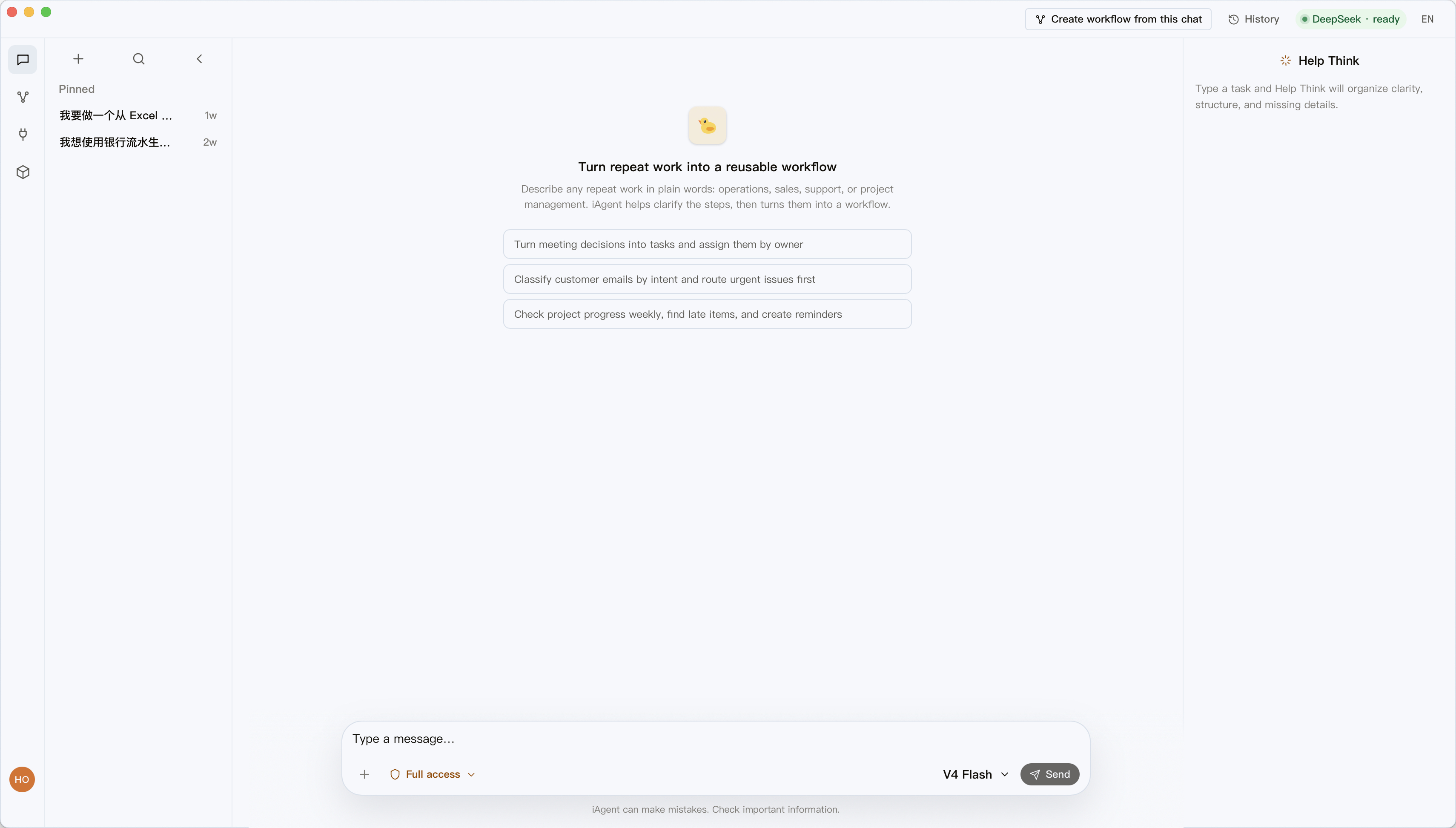
iAgent organizes real work into steps you can review, run, and recover—so repeated AI work stops being a one-off chat.
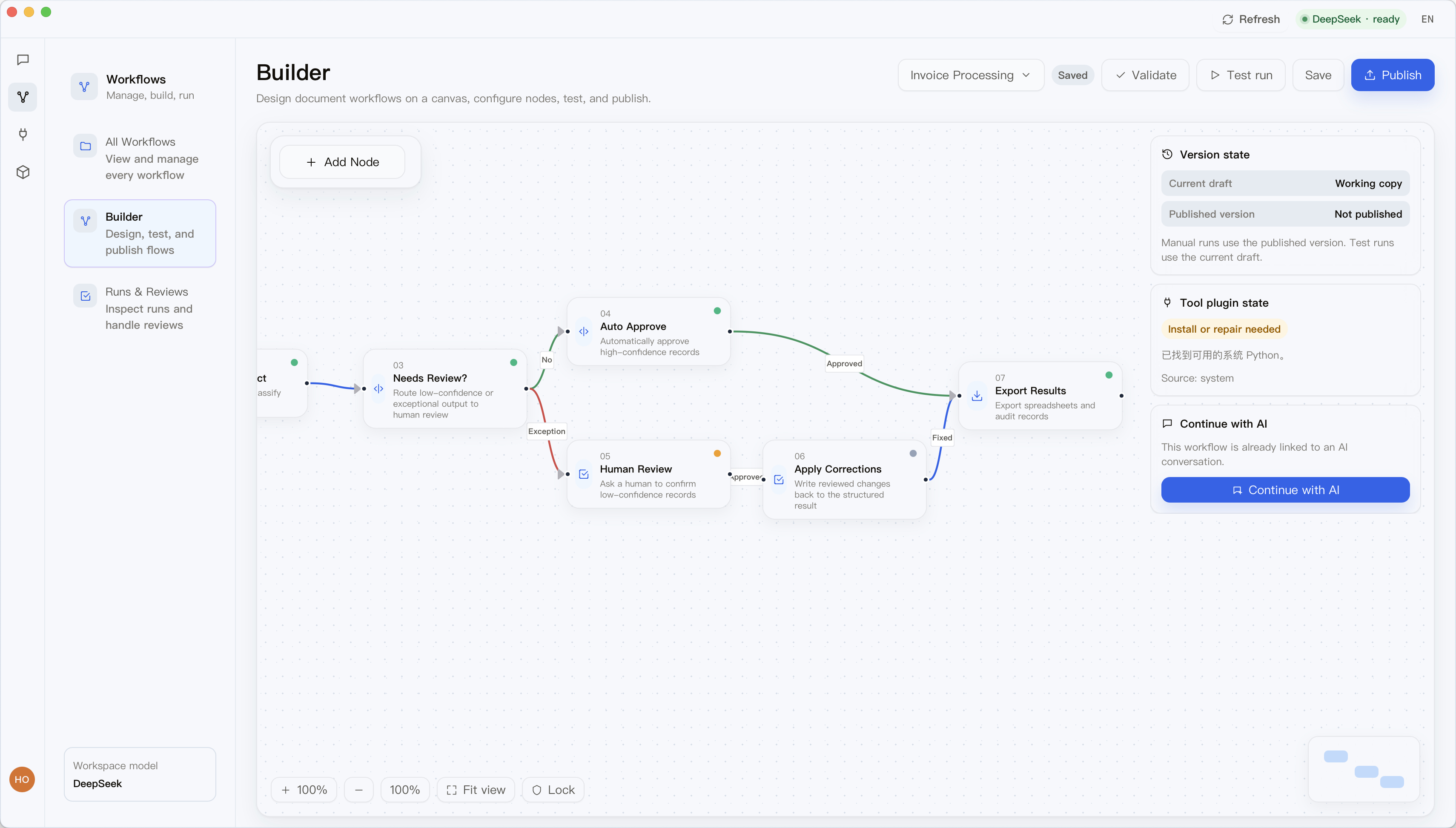
After a user describes the work, iAgent organizes it into a clear draft workflow. The user reviews the steps before running it, then can inspect records or continue from a specific step.
02 · User confirmationWrite, overwrite, send, and delete actions should not run without review. iAgent separates those steps and waits for the user to confirm.
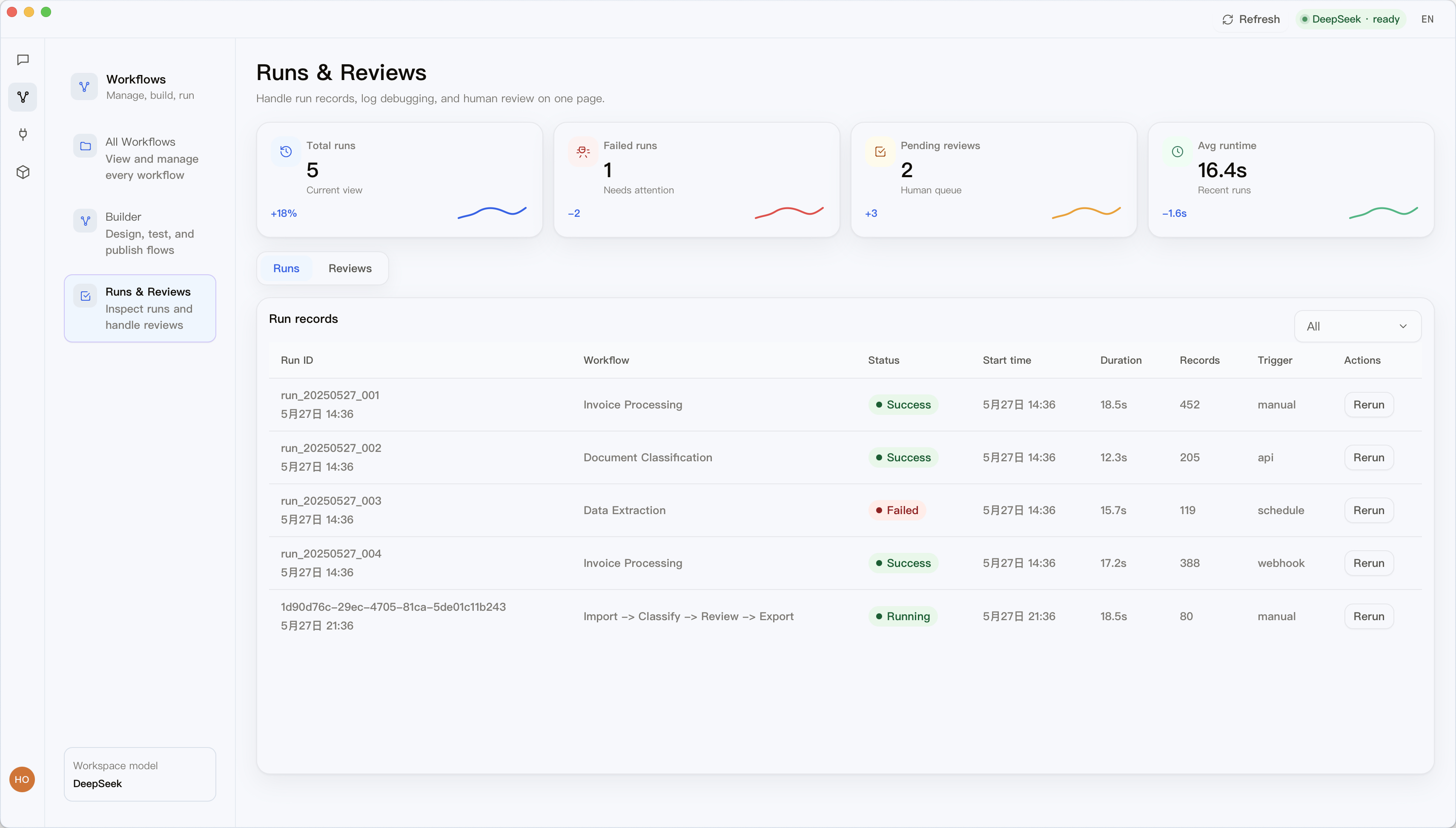
03 · Error handlingWhen a workflow fails, the user needs to know which step failed, what input it used, what output it produced, and which later steps are affected.
04 · Pre-release checkA workflow that will be reused should not rely on one successful run. Before publishing it, run samples and check inputs, outputs, and key steps.
Sensitive files stay close to the workflow you review.
Risky actions can pause before they change the outside world.
Failed runs can be inspected, adjusted, and resumed.
Pricing
The current public page keeps Free, Plus, Pro, and Pro+. Every locale uses USD; final numbers and limits follow the backend public plan source.
Basic free access
Desktop app · Auto-updates
Everyday managed capability
Cancel subscriptions anytime
launch recommended
Card first
heavy usage
Best for heavy usage
Every edition includes: Local execution Human review on critical steps Bilingual interface
Final numbers and limits follow the backend public plan source.
Hear from those who have partnered with us.

Operations Lead
iAgent makes repeated AI work feel controlled. The review step is clear, and failed runs are easy to inspect.

Product Manager
We stopped treating every automation as a one-off chat. Workflows now have owners, checkpoints, and history.

Independent Builder
The desktop-first model is the difference. I can keep sensitive files local and still build useful AI routines.
No. Chat is an entry point, but the product is built around reviewed workflows, local execution, and repeatable runs.
Desktop workflows keep files and workflow state on your machine unless you choose an eligible cloud workspace path.
Yes. Approval gates are part of the runtime so sending, editing, exporting, and tool actions can stop for review.
Yes. iAgent is designed for MCP tools, local scripts, and workflow runtime integrations.
Download the desktop runtime and turn repeatable AI work into reviewed, recoverable workflows.